Questions
Why does my Mac say a disk can’t be ejected because it’s in use?
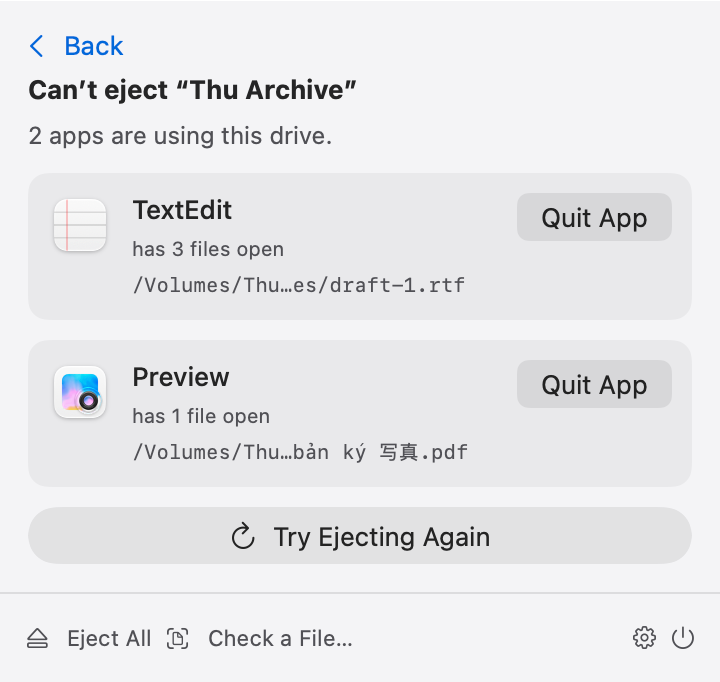
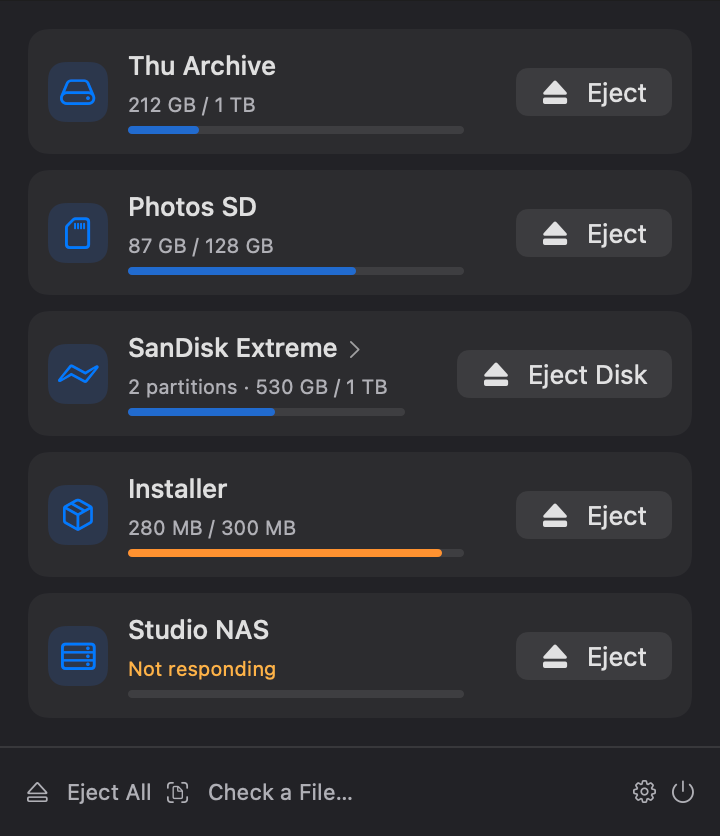
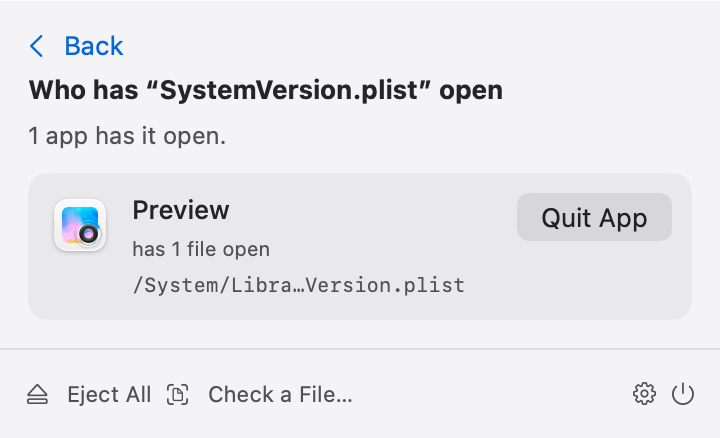
Some program still has a file, folder or document open on that drive. macOS refuses to eject so nothing gets corrupted, but Finder usually doesn’t say which program. Heldup lists those apps by name so you can close them.
Is Heldup really free?
Yes, in exchange for one anonymous weekly report you agree to on first launch (see exactly what is sent in the privacy policy). Every feature is free. There is no paid version, no trial, no ads and no account.
Does it need an administrator password or Full Disk Access?
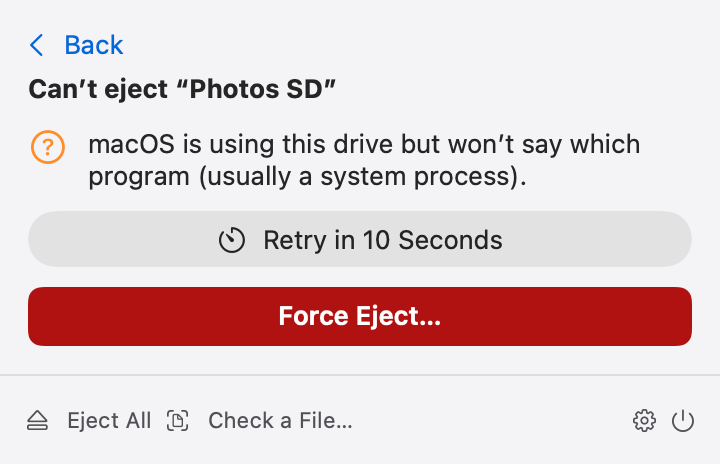
No. It only looks at programs running under your own user account. When a macOS system process is holding the drive, Heldup explains what it is and what to do instead of asking for a password.
What if Spotlight or Time Machine is using the drive?
Heldup recognises common macOS processes such as Spotlight indexing and Time Machine backups and tells you whether to wait or how to stop them. It never offers to force-quit a system process.
Can Heldup warn me when Finder fails to eject?
Yes, if you leave “Tell me when an eject from Finder is blocked” on in Settings. macOS has no official “eject refused” event for other apps, so Heldup checks a couple of seconds after an eject attempt whether the drive is still mounted, then tells you who holds it. In rare cases, such as when you cancel an eject yourself, it may notify you anyway.
Which Macs does it run on?
macOS 13 Ventura or later, on Apple silicon and Intel Macs. The app is signed with a Developer ID and notarized by Apple.
How do I remove it?
Click Quit in the Heldup menu, then drag Heldup from Applications to the Trash. It installs nothing else.