Big download stopped halfway on your Mac? How to resume it instead of starting over
Most interrupted downloads can continue from the last saved byte. Check the server, try your browser's Resume button, use curl -C -, or pause and resume in a download manager.
On this page
A 700 MB installer that dies at 51% is annoying, but you rarely need to download the first half again. If the server allows it, your Mac can ask for just the missing part. This guide shows how to check that, the free ways to resume, and when a download manager helps.
Why resuming works (and when it can't)
A download can continue only if the server supports range requests: your Mac asks for "bytes 375,000,000 to the end" and the server answers with 206 Partial Content. A server that supports this announces it with the header Accept-Ranges: bytes. If that header is missing, every restart begins at zero, and no app can change that.
Step 1: check the server
In Terminal, run curl -sIL followed by the link. This is the real answer from Debian's download server on 15 November 2026, trimmed to the useful lines:
HTTP/1.1 200 OK
Accept-Ranges: bytes
Content-Length: 735358976
Content-Type: application/x-iso9660-image
Accept-Ranges: bytes means this file can be resumed. (The link first redirected to a mirror; -L follows it.)
Step 2: try your browser's Resume button
- Safari: open the Downloads list from the toolbar and click the circular-arrow button next to the stalled file.
- Chrome: press
⌘Jto open the downloads page and click Resume under the file.
Both need the browser to still have the partial file and the server to allow resuming. Sometimes a browser restarts from zero anyway; if that happens, use the next step.
Step 3: resume with curl
Add -C - ("continue where the file stopped") to a curl command and keep the same output file name:
curl -L -C - -o debian.iso LINKI tested this on Debian's 735,358,976-byte arm64 netinst image, stopping it twice on purpose:
- Run 1 stopped after 15 seconds with 73.7 MB saved.
- Run 2 resumed, then stopped again at 122.3 MB.
- Run 3 resumed with
HTTP 206and downloaded only the missing 613.1 MB.
The final SHA-256 was 6e93fa1759bd9d4b0fc11e938987de6967ee7de5297dac1be27c3a75cc17024b, identical to the one Debian publishes, so stopping and resuming did not damage the file.
Two warnings
- Use the same output file name, or curl starts a new file from zero.
- When the publisher gives a checksum, compare it (
shasum -a 256 file). A broken file looks just like a good one.
Expired links: many sites give you a link that stops working after a while. Then you need a fresh link from the original page, and a partial file from the old link may not match the new one.
When a download manager helps: Loadtide
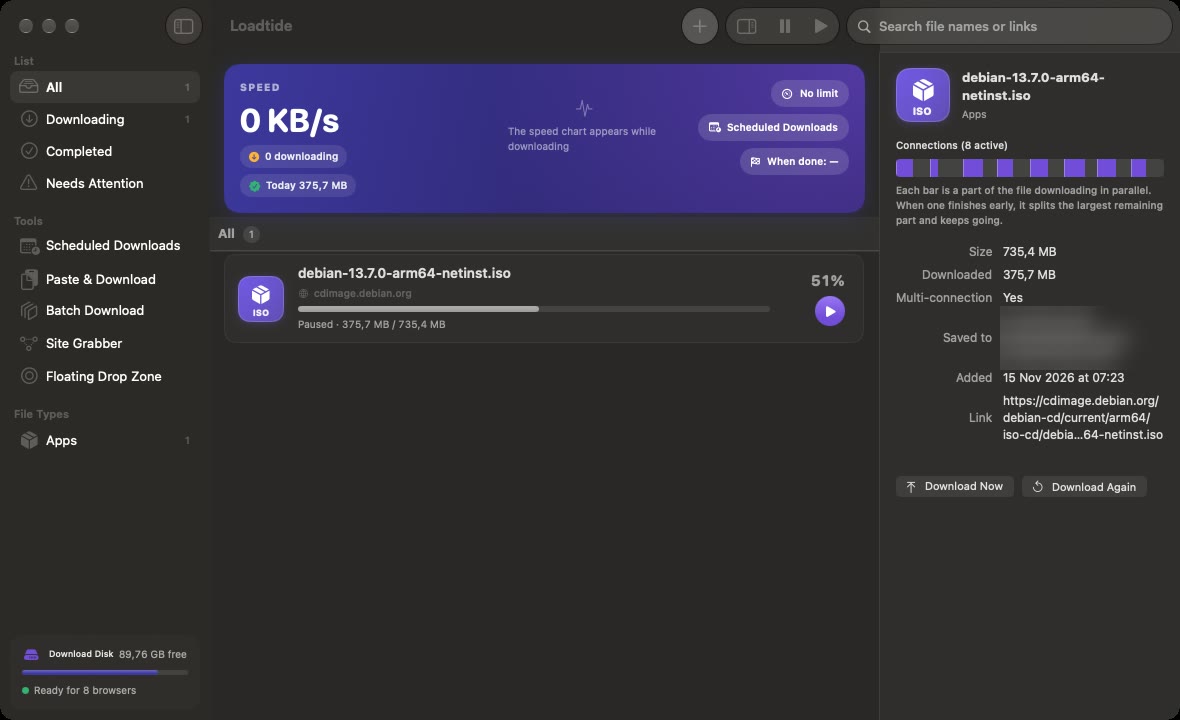
Full disclosure: we make Loadtide. The methods above are free and work without it. Loadtide helps with big downloads you want to leave alone: it splits each file into 8 parts by default, and you can pause, quit the app, or lose the connection and continue later. In my test with the same Debian file I paused at 51% (375.7 MB), quit the app completely and opened it again. The item was still paused at 51%; after I clicked resume it continued from 376 MB, and the finished file's SHA-256 matched Debian's.
Honest limits
- It needs a server that supports resuming. Without that, Loadtide must start over like everything else.
- Some servers limit connections; Loadtide backs off by itself.
- Download only files you own or have permission to download.
See Loadtide →
Quick answers
Can every interrupted download be resumed?
No. Resuming needs a server that supports range requests, which it announces with an Accept-Ranges: bytes header, and a partial file that is still intact. Without them, any restart begins at zero.
How do I resume a download with curl?
Run the same command again with -C - and the same output file name, for example: curl -L -C - -o file.iso LINK. curl checks the size of the partial file and asks the server for only the missing bytes.