Download manager for Mac

Every download,
at full tide.

Loadtide splits each file into several parts (8 by default, up to 32) and downloads them at once, picks up where it stopped, and catches the downloads you start in your browser. Native for Apple silicon and Intel.

Download freeSee Pro

macOS 14 Sonoma or later · Apple silicon & Intel · signed & notarized by Apple

Built for big, flaky, many.

What it does — honestly, including the limits.

Parallel parts

8 connections per file by default, up to 32. If a server limits connections, Loadtide backs off by itself instead of getting you blocked.

Pick up where it stopped

Pause, quit, sleep, lose Wi‑Fi or restart — on servers that support resuming, downloads continue from the last byte; expired links refresh from the original page, and every finished file is size-checked.

A queue you control

Choose how many files run at once, cap the speed, give way to video calls, skip files you already have, unzip and sort finished files into folders by type.

Works in your browser

Safari extension built in: right-click menu and link scanner. For Chrome, Edge, Brave, Arc, Vivaldi and Opera, Loadtide shows you how to add its bundled extension in about a minute, so those browsers hand their downloads over. Firefox support is coming.

Batch & Site Grabber

Turn IMG_[001-250].jpg into 250 links, or collect every PDF in a website folder. Pro

Schedules & when done

Start at night, stop in the morning, then play a sound, sleep or quit. Pauses on metered networks and low battery. Pro schedules

Clean file names

On-device Apple Intelligence renames files like download (3).bin into something readable — nothing leaves your Mac. Pro

Safe by default

Files get the macOS quarantine flag so Gatekeeper checks them, and you can verify SHA‑256 or MD5 checksums.

One pattern, 250 files.

Paste a link with a range and Loadtide writes every link for you — numbers, letters, steps.
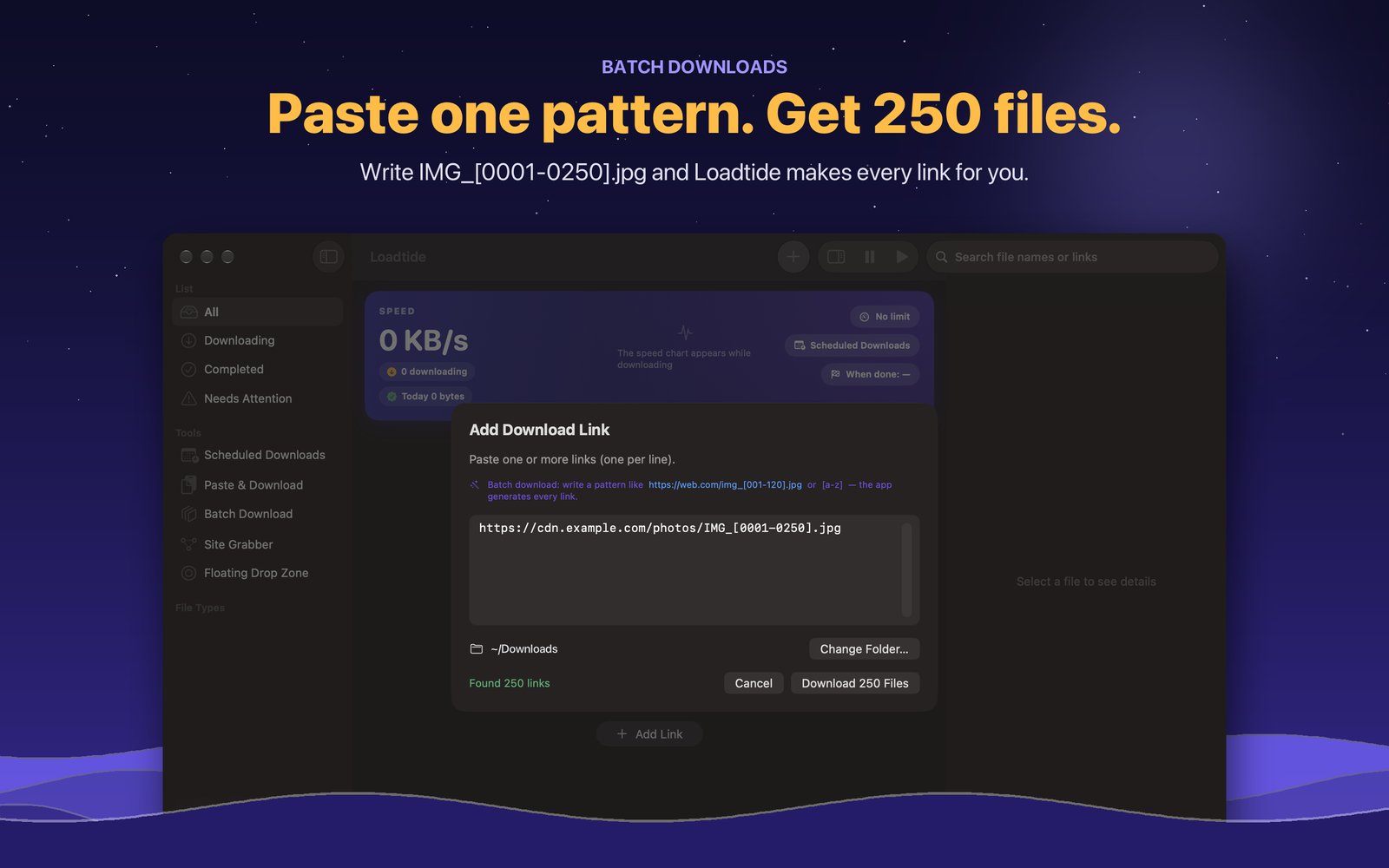
Batch download sheet with 250 links found

Grab a whole folder.

Follow links on a site, choose file types, and download all that match — staying on that site if you want.
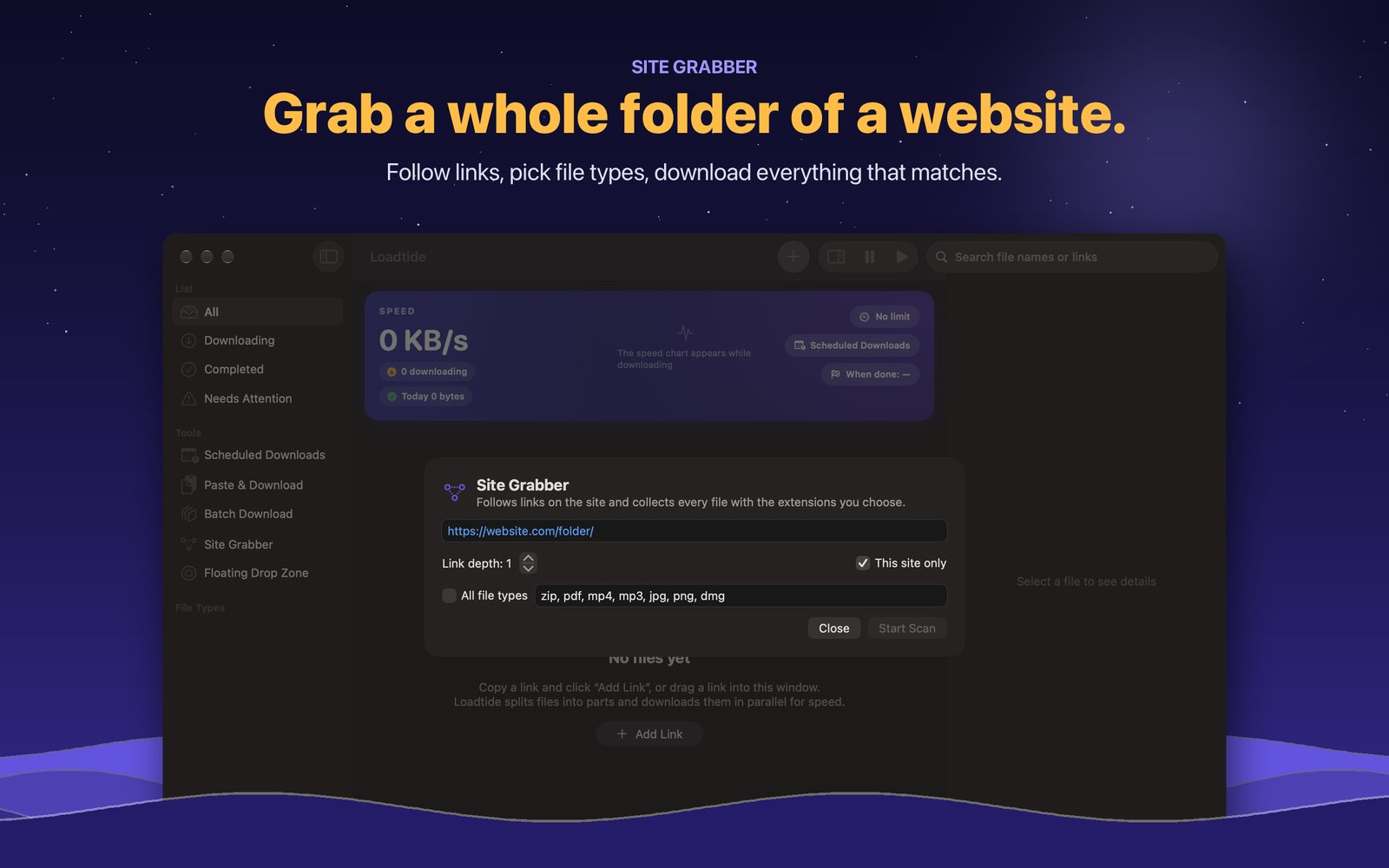
Site Grabber

Big downloads while you sleep.

Daily start and stop times, then let the Mac sleep when the queue is done.
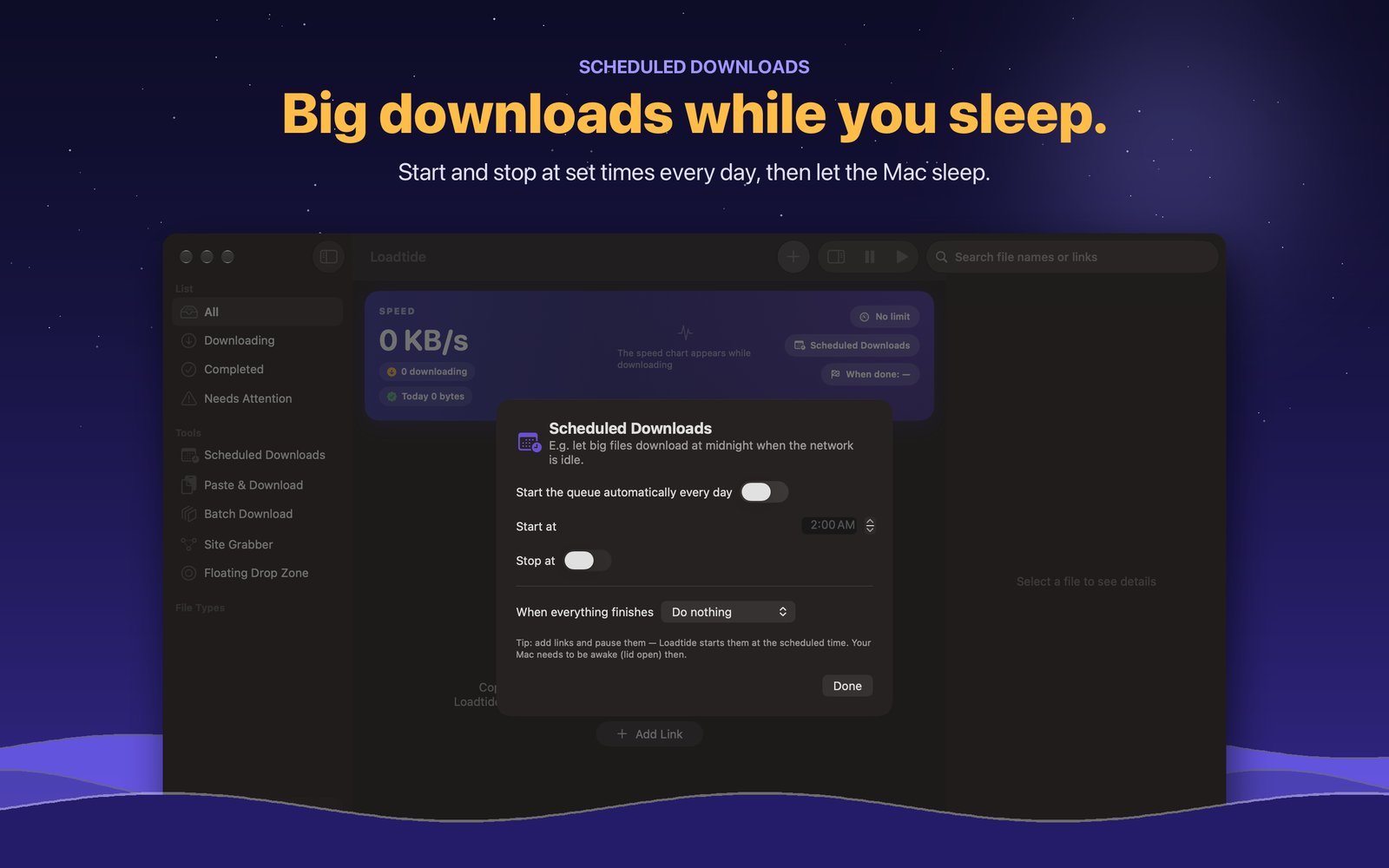
Scheduled downloads

Free for files. Pro for power.

FreePro
Multi-connection downloads, resume, browser extensions✓✓
Site Grabber · Batch patterns · Schedules · AI file names (macOS 26+)–✓
Yearly
$6.99 / year
  • All Pro features + every upgrade
  • Use on 3 Macs
Start Pro
Lifetime
$14.99
  • Pay once, keep Pro forever
  • For the version you buy, with its bug fixes
  • Use on 3 Macs
Buy lifetime

7-day free Pro trial inside the app, no card needed. Checkout and taxes handled by Polar. All sales are final, so please try Pro first. Lifetime unlocks Pro forever in the version you buy (for example 1.0) and all its bug-fix releases (1.0.x); new feature versions (1.1, 2.0) come with the yearly plan. Already bought? Manage your license.

Guides

Questions

Is it legal?

Downloading is legal for your own files, public-domain and openly licensed media, and files you have the right to save. Respect each site's terms and copyright.

Can Loadtide download YouTube or streaming video?

No. Loadtide downloads files only: installers, archives, documents, images and disk images. It does not download videos from streaming sites or stream playlists.

Is there an IDM for Mac, and does Loadtide replace it?

Internet Download Manager is a Windows program. Loadtide covers the core of what people want from a download manager on a Mac: multi-part downloads, resume, a queue, browser takeover, batch link patterns, a site grabber and schedules. It does not download torrents. See our comparison with Folx, Motrix and Free Download Manager.

Which browsers does Loadtide work with?

Safari has a built-in extension (right-click menu and link scanner). For Chrome, Edge, Brave, Arc, Vivaldi and Opera, Loadtide shows you how to add its bundled extension in about a minute so those browsers hand their downloads over. Firefox support is coming.

Does Loadtide support torrents or FTP?

No. Loadtide handles HTTP and HTTPS file downloads only. It is not a BitTorrent client.

Does it collect my data?

No account, no ads, no third-party analytics or tracking. The app sends one small anonymous check a week (version, plan, macOS version, language and one-way hashes; never file names, links or history), and you can turn it off in Settings. We never sell or share your data with third parties. See the privacy policy for every network request the app makes on its own.

Intel Macs?

Yes. Loadtide is a universal app for Apple silicon and Intel Macs on macOS 14 or later. AI file names need macOS 26 or later with Apple Intelligence on Apple silicon; everything else works on Intel and macOS 14–15 too. Try Pro free for 7 days to check before you buy.

What does the lifetime plan include?

One payment unlocks Pro on up to 3 Macs with no renewal, forever, in the version you buy and all of its bug-fix releases — buy during 1.0 and every 1.0.x update is yours. Versions that add new features (1.1, 2.0) are not included; the yearly plan gets every upgrade. Older versions stay available on the changelog.

How do I move Pro to a new Mac?

Settings → License → Remove from this Mac, then enter your key on the new one. You can also manage keys in the Polar customer portal.

Get Loadtide

A signed, notarized app for macOS. Free for files, no account.

Download Loadtide.dmg

Version 1.0.9 · Universal (Apple silicon & Intel) · Verified by Apple (notarized). Open the DMG and drag Loadtide to Applications. Browser extensions: Chrome, Edge, Brave, Arc, Vivaldi, Opera, Firefox and Safari (coming to their stores).