Download slow on your Mac? What a single connection can't do, and what to try first
A slow download is not always your internet. Check your line and the mirror first, then try several connections: on a steady server I measured about 20 to 30 percent more speed, and on a swinging server much more variation.
On this page
When a big download crawls, the first guess is "my internet is slow". Sometimes it is. Sometimes one connection to the server cannot fill a fast line. This guide covers the free checks first, a free way to use several connections, my measured numbers, and where a download manager fits.
Why several connections can help
A normal download uses one connection, like one lane. The server, the route to it, or a speed cap on each connection can keep that lane below what your line can carry. If the server allows it, you can open several connections at once, and each fetches a different part of the file. That works only if the server supports range requests and announces it with Accept-Ranges: bytes (the same check as in the resume guide).
Free checks first
- Run a speed test in your browser. If the test is fast but one download is slow, the limit is not your line. If both are slow, move closer to the router, try a cable, and pause anything else that uses the network.
- Try a different mirror. Many big projects list several download servers.
The free way to use several connections
With curl, -r asks for a byte range. Start several commands, each with its own range, and join the parts at the end:
curl -r 0-99999999 -o part1 LINK &
curl -r 100000000-199999999 -o part2 LINK &
# ... then join the parts in order
The free command-line downloader aria2 does the same job for you: aria2c -x 8 LINK. Both need Accept-Ranges: bytes from the server.
What I measured
All tests ran on one Mac and one line on 15 November 2026. Raw logs are kept.
A steady server: Debian, 735,358,976 bytes
| Method | Time | Average speed |
|---|---|---|
| 1 connection (curl), run 1 | 105.4 s | 6.97 MB/s |
| 1 connection (curl), run 2 | 105.9 s | 6.94 MB/s |
| 8 parts (Loadtide), run 1 | 82.2 s | 8.95 MB/s |
| 8 parts (Loadtide), run 2 | 87.1 s | 8.45 MB/s |
That is roughly 20 to 30 percent faster. Useful, not magic.
A server whose speed swings: a public mirror in Switzerland
The file was an old Ubuntu server image (662,700,032 bytes). I alternated 30-second rounds of one connection and eight curl range requests:
| Round | 1 connection | 8 parts (curl) |
|---|---|---|
| 1 | 1.73 MB/s | 3.82 MB/s |
| 2 | 0.41 MB/s | 4.84 MB/s |
| 3 | 2.09 MB/s | 5.13 MB/s |
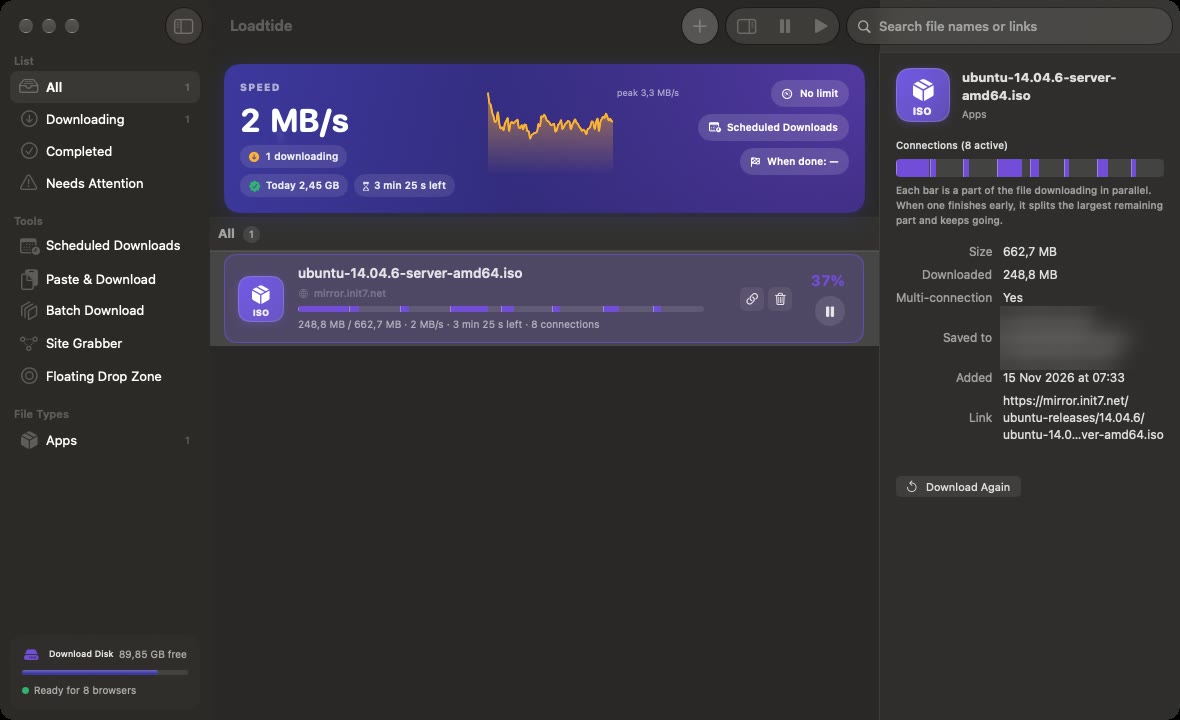
The speed of that server changed a lot between rounds, so do not read one ratio from this table. Loadtide's own full download of the same file there averaged 2.28 MB/s (290.6 s). Your numbers will differ.
When it helps, and when it doesn't
- It helps when one connection is the bottleneck.
- When your line is already full, more connections gain nothing.
- Some servers limit connections per person; too many parts can slow you down or get you blocked.
Where a download manager fits: Loadtide
Full disclosure: we make Loadtide. The methods above are free and work without it. Loadtide splits each file into 8 parts by default (up to 32) and shows every connection and a live speed graph, so you can see whether the extra parts really help. It backs off by itself on servers that limit connections, and you can lower the number in settings.
Honest limits
- It needs a server that supports ranges.
- Some servers limit connections per person.
- Download only files you own or have permission to download.
See Loadtide →
Quick answers
Do more connections always make a download faster?
No. They help only when one connection is the bottleneck. If your line is already full, more connections gain nothing, and some servers limit connections per person.
Can I download in several parts for free?
Yes, if the server supports Accept-Ranges: bytes. With curl, start several commands with -r and different byte ranges and join the parts, or use the free command-line tool aria2 with -x 8.