Guides · 13 November 2026 · 3 min read
Deleted the wrong file on your Mac? Three ways to get it back
Emptied the Trash, ran a cleaner, or saved over a file? Here are the ways to recover deleted files on a Mac, from the simplest to the last resort.
It happens to everyone: you empty the Trash and a minute later remember what was in it. Or a cleaner app "optimised" a folder you needed. Work through these in order, from easiest to hardest.
1. Check the obvious places first
- Trash (if you haven't emptied it): select the file and choose Put Back.
- Recently Deleted in iCloud Drive: on iCloud.com, open Drive and look under Recently Deleted. Files stay there for 30 days.
- The app itself: Photos, Notes and Mail each have their own Recently Deleted folder.
- Earlier versions: in Pages, Numbers, Keynote, TextEdit and many other apps, choose File → Revert To → Browse All Versions.
2. Time Machine
If you have a Time Machine backup, open the folder the file used to be in, then choose Browse Time Machine Backups from the Time Machine menu, go back in time and click Restore. The catch: you need to know which folder, and roughly when.
3. If you cleaned with Sweepvault: the Undo Vault
Most cleaners delete permanently. Sweepvault doesn't. Personal files you clean and apps you uninstall wait in the Undo Vault for 30 days, with their original location, size and how many days are left. Click Restore and the file goes back exactly where it was.
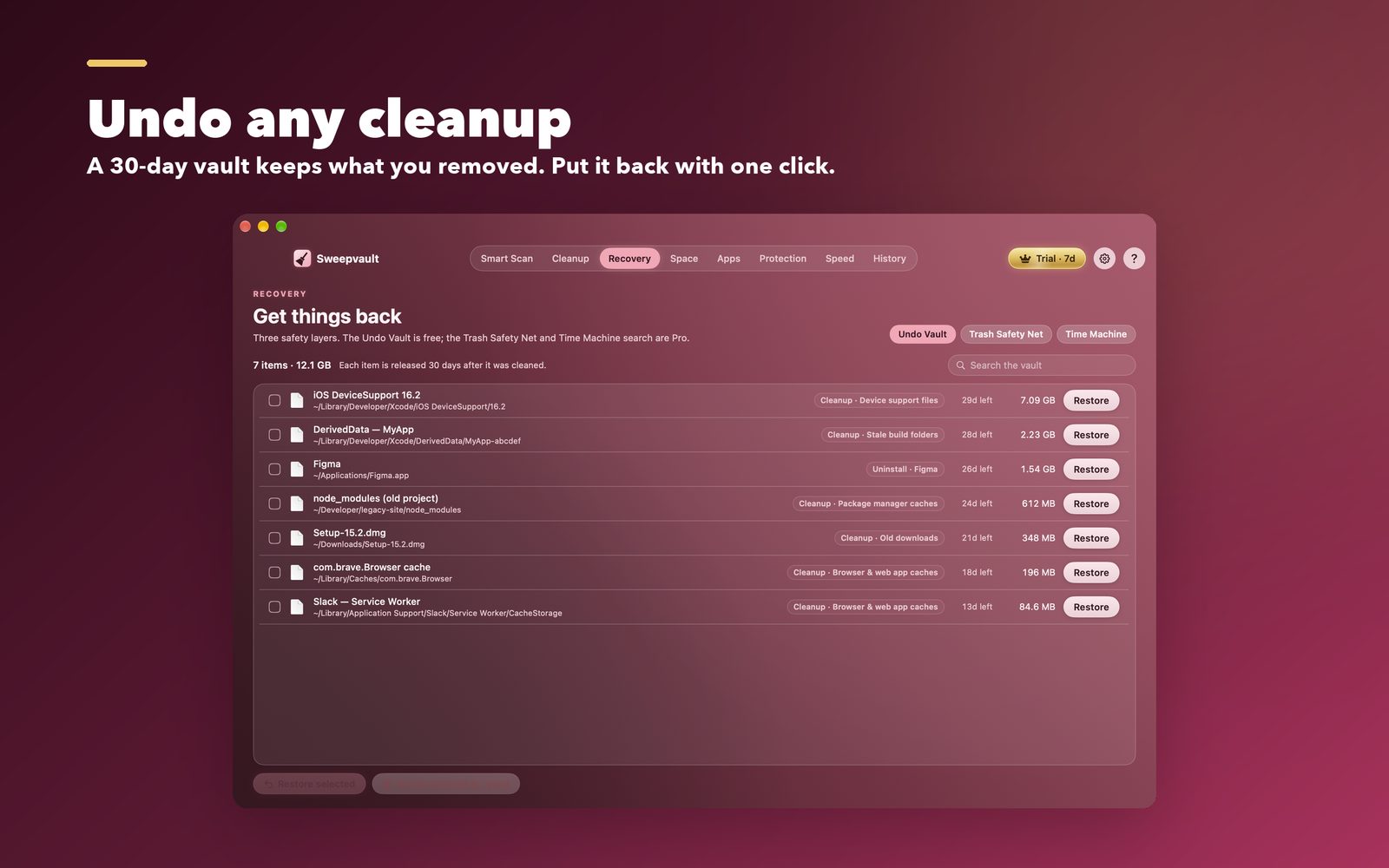
The Recovery tab has three layers:
- Undo Vault (free): everything personal that Sweepvault removed, for 30 days.
- Trash Safety Net (Pro): undo an emptied Trash for up to 30 days. That covers files you deleted yourself, not only Sweepvault's cleanups.
- Time Machine search (Pro): search your backups by name, find older versions, and see files that used to be in a folder, without stepping through Time Machine's timeline.
Every cleanup, uninstall and restore is also written to History, so you can always see what happened and when.
4. Last resort: data recovery software
On modern Macs with SSDs and FileVault, deleted data is usually gone quickly, because the disk erases freed blocks in the background (TRIM). Recovery apps work best on external drives and memory cards. If the file matters, stop writing to that disk and try one straight away.
Prevention beats recovery
- Turn on Time Machine. An external drive costs less than one lost project.
- Keep important folders in iCloud Drive or another sync service with version history.
- Use cleaners that show what they'll remove and keep a way back.
See Sweepvault →
Quick answers
Can I recover files after emptying the Trash on a Mac?
Not with macOS alone, unless you have a Time Machine backup or the files were in iCloud Drive (Recently Deleted keeps them for 30 days). Sweepvault Pro adds a Trash Safety Net that can undo an emptied Trash for up to 30 days once it is turned on.
How do I restore a file from Time Machine?
Open the folder where the file was, choose Browse Time Machine Backups from the Time Machine menu, go back to a date when the file existed, select it and click Restore.
What is the Sweepvault Undo Vault?
A holding area on the same disk. Personal files that Sweepvault cleans and apps it uninstalls wait there for 30 days and can be restored to their original place with one click. It is free.